Key takeaway box: The easiest way to track shows that move between platforms is to keep one neutral watchlist, record the service and date when you add a title, and verify availability before each viewing session.
Shows move because streaming rights, licensing windows, regional catalogs, mergers, bundles, and ad-supported deals change over time. A beginner does not need industry knowledge to stay organized; a simple tracking habit prevents wasted searches and repeated subscriptions.
Start With One Master Watchlist
Do not let every app become a separate memory test. Pick one master watchlist that lives outside any single streaming service. It can be a notes app, spreadsheet, watchlist app, media server feature, or plain document. The key is that the list remains yours even when a show leaves a platform.
Each entry should have five fields: title, season or episode status, current service, date checked, and next action. The next action might be watch, wait, rent, borrow, buy, remove, or check library. This feels basic, but it solves the most common problem: remembering that you wanted a show without remembering where it was available.
Services such as Plex describe a universal watchlist that can hold titles from many sources. Google TV also explains how a watchlist can save movies and shows across a connected viewing setup. Those tools are helpful, but still keep an exportable backup for the shows you care about most.
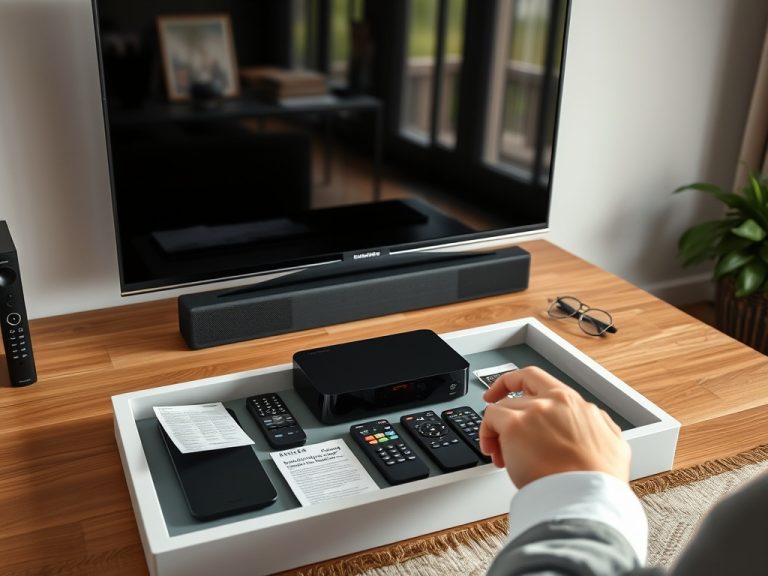
If your home setup already feels confusing, pair this article with organizing streaming devices, remotes, and inputs so the list and the television setup support each other.
Understand Why a Show Disappears
A missing show does not always mean it was canceled, deleted, or hidden from you. Availability can change for several reasons. A studio may license a title to one service for a set period, reclaim it for its own catalog, rotate it into an ad-supported service, sell digital purchase rights separately, or make only certain seasons available in a country.
Think of streaming availability as a moving shelf, not a permanent library. This is why a show can appear in search results but require rental, or why one season is included while another requires purchase. It is also why screenshots age quickly.
| Tracking method | Good for | Weak spot |
|---|---|---|
| Notes app | Fast personal lists | Manual updates only |
| Spreadsheet | Families, budgets, subscriptions | Takes discipline to maintain |
| Aggregator app | Quick availability checks | Catalog data may lag or vary by country |
| Built-in TV watchlist | Easy living-room use | May exclude some services or purchases |
| Calendar reminder | Limited-time releases | Not a full catalog history |
Verify Availability Before Subscribing
Before you restart a subscription for one title, verify three things. First, confirm that the show is included with the subscription rather than rent-only. Second, confirm the season and episode count. Third, check your region. A show available in one country may not appear in another.
Where-to-watch tools can speed this up. JustWatch says its content data covers many countries, streaming services, and movies and shows through its streaming availability data, but no tool should be treated as perfect for every household. Always click through to the provider before paying.
If a show is important to you, add a “verified on” date to your list. That date tells you how stale the information is. A verification from last night is useful. A verification from nine months ago is a hint, not a plan.
Track Subscriptions Separately From Shows
Your show list answers “What do I want to watch?” Your subscription list answers “What am I paying for?” Keep them separate. Otherwise, a single unfinished series can make a monthly charge feel justified long after your attention moved elsewhere.
Create a simple subscription tracker with service name, monthly or annual cost, renewal date, main reason for keeping it, and cancellation link location. If you subscribe for one show, mark the planned cancellation date before you start watching. For families, add who uses the service and what happens if it disappears. That avoids canceling a platform someone else uses daily.
A healthy streaming setup has seasons. You might keep one core service, rotate one short-term service, and rely on rentals, library apps, physical media, or free ad-supported options for the rest. This approach turns streaming from a pile of subscriptions into a planned viewing budget.

Use Status Labels That Reduce Choice Overload
A watchlist becomes useless when everything has the same urgency. Add labels that guide behavior. “Watch next” should hold only three to five titles. “Waiting for full season” is for shows you do not want to watch weekly. “Leaving soon” needs a confirmed date, not a rumor. “Research later” is for titles you have not verified.
This is similar to building a festival schedule: you need must-see, strong interest, and backup. The same sorting logic described in going to your first film festival keeps a streaming queue from becoming an emotional junk drawer.
Review the list every two weeks if you stream often, or monthly if you watch casually. Delete shows you no longer want. A shorter honest list is better than a huge archive that makes every night feel like work.
Make It Useful for More Than One Person
If several people share the television, agree on names and rules. Use one shared list for group viewing and separate personal lists for individual shows. Mark titles as “solo,” “family,” “date night,” “background,” or “finish together.” This prevents one person from accidentally watching ahead or burying a shared show under private recommendations.
Parents can also add ratings, runtime, and content notes from trusted sources, but keep those notes factual. Avoid treating a platform’s recommendation label as a family decision. Watch history, ads, and interface placement can influence suggestions in ways that do not reflect your actual priorities.
Refresh the System Before It Breaks
A tracking system fails when it asks for too much detail. Keep the fields simple enough that you will update them while standing in front of the television. Once a month, choose one of three actions for every title: watch soon, keep for later, or remove. Once every quarter, review subscriptions and cancel anything that no longer has a clear purpose.
Your next step is to build a ten-title master watchlist today. Add the service, date checked, and next action for each show. Then pick one title to watch this week and one subscription to review before its next renewal.