Key takeaway box: A streaming setup becomes easier for everyone when every device has a clear role, every input has a plain name, and the main remote path is written down in simple household language.
Home entertainment problems are often not caused by expensive gear. They come from unclear inputs, too many remotes, hidden settings, unlabeled cables, and no shared system. A practical setup should let a guest, child, partner, or house-sitter start watching without guessing.
Map the Devices Before Changing Settings
List every device connected to the television: streaming stick, game console, cable box, Blu-ray player, soundbar, receiver, antenna, HDMI switch, smart TV apps, and speakers. Then write what each one is for. If two devices do the same job, choose a primary device and move the other to backup status.
Next, trace the signal path. Does the streamer plug directly into the TV, or into a receiver, soundbar, or HDMI switch first? Does sound return through HDMI ARC or eARC? Which device controls volume? This map prevents random troubleshooting later.
Consumer Reports notes that streaming devices connect through HDMI and vary by features such as 4K, HDR, USB, and Ethernet in its streaming media device buying guide. Even if you are not buying new gear, that feature list helps explain why one device may deserve priority over another.
If the problem is not the living room but the content itself, pair the setup with tracking where shows move between platforms so people can find both the title and the correct input.
Rename Inputs in Human Language
Many TVs label inputs as HDMI 1, HDMI 2, and HDMI 3. That is technically correct but useless to most households. Rename inputs as “Streaming,” “Games,” “Cable,” “Blu-ray,” or “Laptop.” If the TV does not allow custom names, place a small label behind the TV or write a short guide.
Keep the language consistent. Do not call the same device “Roku,” “Streaming Stick,” and “Netflix box” in different places. Pick the name everyone uses and write it down.
| Household task | Device or setting to identify | Plain-language label |
|---|---|---|
| Watch streaming apps | Main streaming box or TV app hub | Streaming |
| Play games | Console HDMI input | Games |
| Watch discs | Disc player input | Blu-ray or DVD |
| Listen through better speakers | Soundbar, receiver, ARC/eARC | Sound |
| Share a laptop screen | Open HDMI port or casting path | Laptop |
Decide Which Remote Is the “First Remote”
Every household needs a first remote. It is the one people pick up first to turn on the TV, choose an input, control volume, and pause playback. Other remotes can stay nearby, but they should not be required for everyday use unless the system demands it.
HDMI-CEC can reduce remote juggling by allowing commands to pass between devices through HDMI. Roku’s support page explains that CEC lets devices share commands over the same HDMI connection so common functions can be controlled without multiple remotes in its HDMI-CEC and ARC guide. TV brands use different names for CEC, so check the menus on both the TV and connected device.
CEC can be helpful, but it is not magic. If it causes devices to turn on unexpectedly or switch inputs at the wrong time, turn off the most annoying sub-feature rather than abandoning the whole setup. Write down what you changed.
Clean Up Cables Without Hiding the System
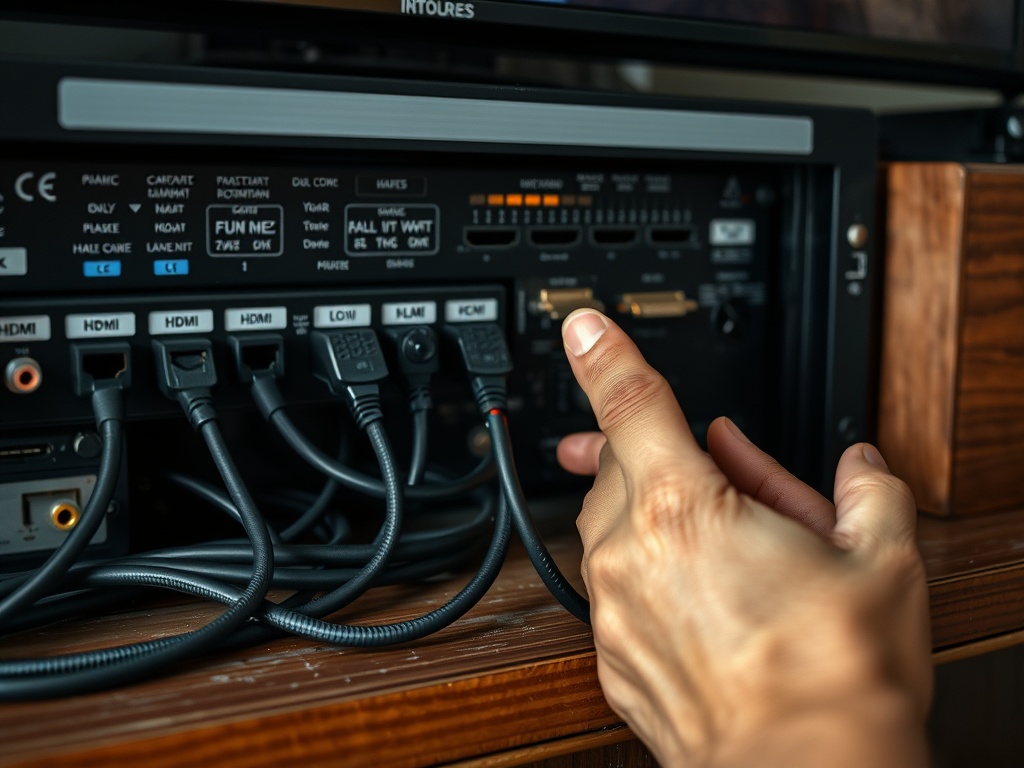
Cable management should make troubleshooting easier, not harder. Bundle cables by path, leave a little slack, and label both ends of important HDMI cables. Avoid pulling cables tight behind heavy furniture. If one HDMI cable supports the highest-quality signal, mark it so it does not get swapped randomly.
Keep power strips accessible and avoid overloading outlets. If devices overheat in a closed cabinet, improve airflow. Streaming boxes and game consoles can behave badly when they are hot, underpowered, or blocked from Wi-Fi.
For renters, choose reversible solutions: cable sleeves, reusable labels, Velcro ties, and small baskets. Avoid permanent wall routing unless allowed.
Write a One-Page Household Guide
A guide should be short enough that people use it. Include four sections: how to watch streaming, how to play games, how to fix no sound, and how to turn everything off. Use the input names from your setup, not technical jargon.
Example: “To watch streaming: press Power on the silver remote, choose Streaming, use the black remote to pick an app, volume stays on the silver remote.” This kind of instruction is more useful than “Use HDMI 2 and CEC passthrough.”
If your household also keeps shared watchlists, mention where they live. The goal is to remove the two most common questions: “Where is the show?” and “Which remote do I use?”
Troubleshoot in the Same Order Every Time
Random troubleshooting creates more problems. Use a fixed order:
- Confirm the TV is on the correct input.
- Confirm the source device is awake.
- Confirm volume is not muted and the correct audio output is selected.
- Restart only the device causing the issue.
- Check HDMI cable seating.
- Restart the TV last.
Do not change five settings at once. If you do, you will not know which change helped. Take phone photos of complicated settings screens before editing them, but make sure no account details are visible.
Make the Setup Friendly for Guests and Family
Place the first remote in the same spot every time. Put backup remotes in a labeled tray or drawer. Use child-safe or guest profiles where appropriate. Remove apps nobody uses from the home screen if the device allows it. Keep subscriptions and purchases protected by PINs if children or guests use the system.
For movie nights, connect the setup to the habits in going to your first film festival: choose a realistic plan, reduce friction before the event starts, and leave enough time for the room to settle.
A Living-Room Setup That Lasts
Review the system every three months. Remove unused devices, update the household guide, check remote batteries, confirm app logins, and replace damaged cables. A tidy streaming setup is not a one-time project; it is a small maintenance habit.
Your next step is to rename each input and choose the first remote. Then write four lines: streaming, games, sound fix, and power off. Tape the guide inside a cabinet or save it in a shared household note.